
Class Action Settlements: Deadlines and Claim Status
Quick answer: Browse 120 settlement records by company, category and deadline. Open a listing for its claim status, eligibility requirements and official filing instructions. The catalog includes claims, investigations, upcoming matters and closed cases. Check the administrator's current deadline before filing. Filing directly with the settlement administrator is free.
120 catalog records · Updated October 12, 2026
Browse the settlement catalog
Choose a category or the Upcoming tab, then use the sort menu to browse by deadline or estimated amount. Open a company's listing for the case details. Investigations accepting inquiries are included in the catalog and may have no approved settlement or payment amount.
| Settlement | Est. payout | Deadline | View |
|---|---|---|---|
| Varies | LIMITED AVAILABILITY | View | |
| Varies | LIMITED TIME | View | |
| Varies | LIMITED TIME | View | |
| Varies | LIMITED AVAILABILITY | View | |
| Varies | LIMITED TIME | View | |
| Varies | LIMITED TIME | View | |
| Varies | LIMITED TIME | View | |
| Varies | LIMITED TIME | View | |
| Varies | LIMITED TIME | View | |
| Varies | LIMITED TIME | View | |
| Varies | LIMITED AVAILABILITY | View | |
| Varies | DUE IN 289 DAYS | View | |
| Varies | LIMITED TIME | View | |
| Varies | OPEN INTAKE | View | |
| Varies | OPEN INTAKE | View | |
| Varies | OPEN INTAKE | View | |
| Flo App | DUE IN 2 DAYS2 DAYS LEFT | View | |
| Up to $95/device | DUE IN 69 DAYS | View | |
| Varies | LIMITED TIME | View | |
| Varies | OPEN INTAKE | View |
 Roblox & Discord Abuse
Roblox & Discord
LIMITED AVAILABILITY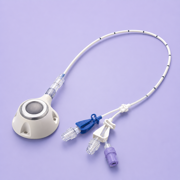 Chemotherapy Port
Chemo Port
LIMITED TIME Uber/Lyft Abuse
Rideshare Abuse
LIMITED TIME AI Book Piracy
AI Book Piracy
LIMITED AVAILABILITY Personal Injury
Personal Injury
LIMITED TIME Workers’ Comp
Workers' Comp
LIMITED TIME Mortgage Appraisal Fees
Cross Country Mortgage
LIMITED TIME Sweep Account Interest
Commonwealth Sweep Interest
LIMITED TIME GLP-1 Patches
GLP-1 Patches
LIMITED TIME Car Accident
Car Accident
LIMITED TIME Mercor Data Breach
Mercor Data Breach
LIMITED AVAILABILITY Abuse in NYC
New York City
DUE IN 289 DAYS Baby Powder Cancer
Baby Powder
LIMITED TIME NBA App Privacy
NBA
OPEN INTAKE StubHub Pricing
StubHub
OPEN INTAKE Adobe Fees
ADOBE
OPEN INTAKE Flo App
Flo App
2 DAYS LEFTDUE IN 2 DAYS Up to $95/device
Apple Siri AI
DUE IN 69 DAYS Power Tools
Power Tools
LIMITED TIME Snapchat Addiction
Snapchat
OPEN INTAKE
Recently closed
85 Under Armour Breach
Under Armour
CLOSED 116 DAYS AGO Grok AI Lawsuit
Grok AI Lawsuit
CLOSED 104 DAYS AGO AI Chatbot Harm
AI Chatbot Harm
CLOSED 65 DAYS AGO LastPass Breach
LastPass Data Breach
CLOSED 103 DAYS AGO Sports Betting
Sports Gambling
CLOSED 70 DAYS AGO Spotify Personalization
Spotify
CLOSED 100 DAYS AGO $20-$100000
Pet Food Recall
CLOSED 250 DAYS AGO $100-$10000
23andMe
CLOSED 238 DAYS AGO GrubHub Privacy
Grubhub
CLOSED 52 DAYS AGO- Up to $7,500
STIIIZY Data Breach
CLOSED 33 DAYS AGO  $7500
$7500AT&T Data Breach
CLOSED 299 DAYS AGO Temu Privacy
Temu
CLOSED 330 DAYS AGO
All settlement updates (120)
Find updates on open claims, upcoming matters, and settlements whose claim deadlines have passed.
- Roblox & Discord Abuse Lawsuit
- Chemotherapy Port Catheter Lawsuit
- Uber/Lyft Sexual Assault Lawsuit
- AI Book Piracy Author Claims
- Aaland v. Costco Wholesale Corporation — Washington Commercial Email Settlement
- Personal Injury Claim
- Workers’ Compensation Claim
- LastPass Data Security Incident Litigation
- Shenkman v. Tesla, Inc. — Tesla Idle Fee Class Action Settlement
- CrossCountry Mortgage Appraisal Fee Investigation
- Commonwealth Financial Network Cash Sweep Investigation
- Off-Brand GLP-1 Weight Loss Patch Investigation
- In re STIIIZY Inc. Data Breach Security Litigation
- Dutcher v. Google – YouTube TV Settlement
- Under Armour Data Breach Claim
- Car Accident Claim
- Sports Gambling Addiction Lawsuit
- Spotify Personalization Claim
- Painter v. Strides Pharma Inc. — Testosterone Gel Benzene Settlement
- Grok AI Lawsuit
- AI ChatBot Suicide and Self Harm
- Mercor Contractor Data Breach Claims
- Abuse in NYC
- Poultry Wages Settlement (Jien v. Perdue Farms)
- Talcum Powder Cancer Lawsuit
- Mid America Pet Food Salmonella Settlement
- In re: 23andMe, Inc. Customer Data Security Breach Litigation Settlement
- Grubhub Privacy Rights Claim
- Cosequin Joint Health Supplement Settlement
- In re AT&T Inc. Customer Data Security Breach Litigation Settlement
- Temu App Privacy Claim (Lantern)
- Starling v. Farmers Group, Inc. — TCPA Settlement
- Biddle v. The Walt Disney Company — Streaming TV Settlement
- $5.15M Fashion Nova Website Accessibility Settlement
- Bartz v. Anthropic – Copyright Settlement
- Sling TV VPPA Privacy Case
- NBA App Privacy Rights Violation
- DoorDash and Amplitude may have violated your privacy rights.
- Prosper Data Breach Claims (Lantern by Labaton)
- Carnival Cruise Data Breach Claim
- T-Mobile Price-Lock Rate Increase Arbitration
- StubHub Drip Pricing Claims (New York & Nevada)
- Western Union Privacy Case
- Hubbard v. Google – YouTube Privacy Settlement
- Tapcheck Paycheck Advance Claims
- PayPal (Venmo) Data Privacy Claim Investigation
- Candelore v. Tinder Inc. – Age Discrimination Settlement
- LG Smart TV Privacy Rights Violation
- Sony Smart TV Privacy Rights Violation
- Adobe
- Best Buy Data Privacy Claim
- In re Google Assistant Privacy Litigation
- Flo Period Tracker Data Privacy Settlement ($59.5M)
- Klover Cash Advance Claim
- Albert Cash Advance Arbitration Claims (Lantern by Labaton)
- Canteen Vending Machine Class Action Settlement
- Instacart Price Testing Claim
- Mitsubishi Airbag Control Unit Settlement
- Sprouts Farmers Market - Receipts Class Action Settlement
- Metformin NDMA Contamination Settlement
- LA Times CIPA Website Tracker Privacy Settlement
- Fortnite Unwanted Charges Settlement
- Aspen Dental Pixel Tracking Settlement
- Mikhail Gershzon v. ZOA Energy, LLC
- Keim v. Trader Joe's FACTA Settlement
- Bottoms v. Block, Inc. Settlement
- NBA Top Shot Video Privacy Settlement
- RevitaLash & RevitaBrow Eye Serum Side Effects Settlement
- AMEX Antitrust Class Action Settlement (Moskowitz v. American Express Co., No. 19-CV-566)
- Toyota California HVAC Settlement (Salas v. Toyota)
- CeraVe Benzoyl Peroxide Lawsuits (No Settlement Yet)
- Flock Safety License Plate Camera Lawsuits (No Settlement Yet)
- Apple Siri AI Settlement (Landsheft v. Apple Inc.)
- Sutter Health Analytics Litigation Settlement
- Krispy Kreme Data Breach Settlement
- Amazon Subscription Cancellation Settlement
- TreeHouse Foods Frozen Waffle Recall Settlement
- Overcharged for Beef - Consumer Indirect Purchaser Settlements (Tyson & Cargill)
- Hampton v. Mattress Firm Litigation Settlement
- Santiago v. American Textile Company, Inc. — Sealy 1250 Thread Count Settlement
- Balance of Nature Supplements Settlement
- McCall et al., v. Michael Kors (USA), Inc.
- Differin BPO Acne Treatment Benzene Settlement
- Broiler Chicken Antitrust Settlement
- Bayer Antifungal Spray (Lotrimin/Tinactin) Settlement
- Formula 1 VPPA (Video Privacy Protection Act) Settlement
- Poppi Soda False Advertising Settlement
- Daily Wire VPPA Settlement
- Forbes VPPA Privacy Settlement
- Ann Taylor False Discount Settlement
- GameStop VPPA Settlement
- Similasan Eye Drops Settlement
- Alderfer Eggs False Advertising Settlement
- Deep River Potato Chips Settlement
- Power Tools Consumer Investigation
- Burdette et al. v. FuboTV Data-Privacy Settlement
- PopCorners Slack-Fill Class Action Lawsuit
- New England Patriots App VPPA Settlement
- Whole Foods 365 Hot Cocoa Slack-Fill Settlement
- DDR4 & DDR5 Desktop Memory Speed Settlement (Corsair)
- McDonald’s Orange Juice Class Action (No Settlement Yet)
- HexClad Cookware Advertising Settlement
- Chobani Yogurt ‘Toxic’ Plastic Chemicals Class Action (No Settlement Yet)
- P&G/Tampax Lead in Tampons Class Action (No Settlement Yet)
- Etsy Website Trackers Data Privacy Class Action (No Settlement Yet)
- Oklahoma Earthquakes Class Settlements
- Papaya Gaming Mobile Apps Settlement
- Stoner Cats Fair Fund (SEC v. Stoner Cats 2, LLC)
- Papa John's Employee and Franchisee Employee Antitrust Settlement
- Sirius XM TCPA Settlement
- Starbucks Ethical Sourcing & Decaf Chemicals Class Action (No Settlement Yet)
- Costco Rotisserie Chicken False 'No Preservatives' Class Action (No Settlement Yet)
- WhatsApp/Meta Encryption Privacy Class Action (No Settlement Yet)
- Costco Kirkland Tequila Adulterated '100% Agave' RICO Class Action (No Settlement Yet)
- Apple iCloud Antitrust Lawsuit (Gamboa v. Apple Inc.)
- Rabinowitz et al. v. Colgate Palmolive Company et al.
- Snapchat Social Media Addiction Claim
- Home Depot ALPR License Plate Privacy Lawsuit (Schmierer v. Home Depot)
- Costco Online "Free Shipping" Hidden Delivery Cost Class Action (Zaimi v. Costco — No Settlement Yet)
- Google Web & App Activity Tracking Verdict (Rodriguez v. Google — No Claims Process Yet)
In-depth settlement guides
67- Palomar Health Data Breach Class Action Settlement
- NAR Homebuyer Commission Class Action Settlement
- Peco Foods Data Breach Class Action Settlement
- YES Communities Data Breach Class Action Settlement
- Atrium Health Pixel Privacy Class Action Settlement
- Toyota Forklift Emissions Class Action Settlement
- Capital One 360 Savings Class Action Settlement
- AT&T Data Breach Class Action Settlement
- Kroger Prescription Pricing Class Action Settlement
- Excel Fitness Data Breach Class Action Settlement
- Lemonade Data Disclosure Class Action Settlement
- Lands' End Data Breach Class Action Settlement
- Red Robin Job Posting Class Action Settlement
- Allina Health Pixel Privacy Class Action Settlement
- LifeStance Health Pixel Privacy Class Action Settlement
- Fidelity Data Breach Settlement (2026)
- Whirlpool Defective Refrigerator Class Action Settlement
- Mitsubishi Outlander Hood Defect Class Action Settlement
- Shimano Bicycle Crankset Class Action Settlement
- Labcorp AMCA Data Breach Class Action Settlement
- QVAR Inhaler Antitrust Class Action Settlement
- Robinhood Order Flow Class Action Settlement
- PHH Mortgage Kickbacks Class Action Settlement
- Chattanooga Heart Institute Data Breach Class Action Settlement
- State Farm Alabama Total Loss Fees Class Action Settlement
- Hyundai & Kia Airbag Control Unit Class Action Settlement
- Delta Dental Web Tracking Class Action Settlement
- Toyota Airbag Control Units Class Action Settlement
- Google Play Children's Privacy Class Action Settlement
- BMW Shark-Fin Antenna Class Action Settlement
- Ashley Furniture Mattress Fiberglass Class Action Settlement
- Tuft & Needle Pricing Class Action Settlement
- Comcast Xfinity Data Breach Class Action Settlement
- Union Bank and Trust MOVEit Data Breach Class Action Settlement
- First Financial Security Data Breach Class Action Settlement
- Banner Health Privacy Class Action Settlement
- Albany Park Discount Class Action Settlement
- State Farm Arkansas Total Loss Class Action Settlement
- Fanatics Handling Fee Class Action Settlement
- Circle K Data Breach Class Action Settlement
- Disney YouTube TV Antitrust Class Action Settlement
- Aidvantage TCPA Robocall Class Action Settlement
- FitOn Video Privacy Class Action Settlement
- Las Vegas Grand Prix Ticket Class Action Settlement
- Chantix Pfizer Carcinogen Class Action Settlement
- Brooklyn Bedding Inflated Prices Class Action Settlement
- Generic Drug Price-Fixing Class Action Settlement
- Sprouts Farmers Market FACTA Class Action Settlement
- Hyundai & Kia Theft Immobilizer Class Action Settlement
- Equifax Credit Reporting Class Action Settlement
- Bestway Spa Pump Class Action Settlement
- SunTrust Bank Overdraft Fee Class Action Settlement
- AT&T Washington Wage Class Action Settlement
- Guitar Center Wage and Hour Class Action Settlement
- RealPage Rent Price-Fixing Class Action Settlement
- Equinox Data Breach Class Action Settlement
- Stanford Federal Credit Union NSF Fee Class Action Settlement
- Nutricost Magnesium Glycinate Class Action Settlement
- Penn Medicine Patient Privacy Class Action Settlement
- Onsite Mammography Data Breach Class Action Settlement
- WaterStreet Company Data Breach Class Action Settlement
- Sony PlayStation Digital Games Class Action Settlement
- Americold Data Breach Class Action Settlement
- 700Credit Data Breach Class Action Settlement
- HireVue Biometric Privacy Class Action Settlement
- O'Reilly Automotive Text Message Class Action Settlement
- Forbes Website Tracking Class Action Settlement
Using the settlement catalog
- How do I find a specific company in the settlement catalog?
- Browse the category links and settlement names, then open the company listing for its case details. The catalog also includes an All settlement updates list with links to published records, including cases with past claim deadlines. Company names can appear in more than one case, so check the case description and relevant dates. Follow the official administrator instructions for the particular settlement before filing.
- How do I browse settlements by claim deadline?
- Select Deadline (soonest) in the settlement catalog sort menu to compare deadline labels. Some listings use a date, while others show an upcoming or inquiry status without a dated claim window. Open a listing to read its status and filing instructions, then confirm the current deadline on the official administrator website. An inquiry form for an investigation does not establish that a settlement has been approved.
- Why are closed settlements still in the catalog?
- Closed settlement records remain available so you can find case details after a claim deadline passes. Browse Recently closed or All settlement updates to locate the listing. A past deadline does not tell you whether payments have been sent, and a closed listing is not an invitation to submit a new claim. Check the official administrator website for current case status, distribution notices and contact details.
- Does an upcoming listing mean I can submit a settlement claim?
- An upcoming listing may not yet have an open claim window. The catalog also includes investigations that accept inquiries through a law firm, which are different from approved settlements with claim forms. Read the case description and destination of any filing link before submitting information. The official administrator or participating law firm provides the current instructions. Payout does not determine eligibility or guarantee a settlement payment.
- Where do I check the official status of a listed settlement?
- Open the settlement listing and follow its official administrator instructions to check the claim deadline and current case notices. Use the administrator contact information for questions about a submitted claim or payment timing. Payout provides a discovery catalog, not legal advice, and cannot confirm an individual claim approval. Filing directly with the settlement administrator is free. Each case has its own eligibility requirements and payment terms.
Payout is not a law firm and does not provide legal advice. Settlement information is for general informational purposes only. Eligibility, legal representation, and any payment amount are determined by the settlement administrator, court, or participating law firm and are not guaranteed.